

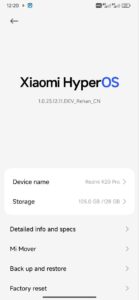
Custom For Redmi K20 Pro Hyper OS EU+CN ( A14 )
CN Change Logs Hyper OS V5
+Fixed Pop up
+Fixed Notification Delay but you need to give permission to work apps in background
+Fixed Power menu delay
+Fixed Long Boot issue
+Added Gboard
+Added Google Pay Store by Default this Time
+Fixed Jitter , Lag In Ui
+Remove Chinese Things
+volte and Vowifi By default enabled
+Debloated Af
Hyper OS EU A14 | Final
+Pop up fixed
+Fully new Base
+20fps issue fixed Smart refresh rate added
+Nfc fixed
+Added latest Camera and Launcher
+EU build so no notification delay
+Fixed Network Issue in EU ROMs
+Little bit debloated
+Volte and Vowifi working by default
+Google services enabled by default




Flashing guide for HyperOs Mint
Use official Orange Fox Recovery
Then Go to Recovery
1. Wipe dalvic , cache , system, vendor , data
2. Flash ROM
3. Flash magisk (optional)
4. Reboot
No need to flash Dfe Rom is Already Decrypted
Format Data for Clean experience
After Successful Entering in Home Screen Do Reboot 1 Time To remove Some Chinese Packages
Imp* : Data should be on ext4 as f2fs not tested and laggy for those who booted.
Backup your data first incase of wrong steps or lose of data admin/mod will be not responsible.
That’s All 👍
Hyper OS CN
Hyper OS EU
Notes:
★Take Backup Before Flashing
★ Make sure to read flashing instructions, notes, additional notes.
★Format Data is required if your device is encrypted currently.