

Custom Rom For Redmi Note 11 DroidX-UI 1.7 LTS
DroidX-UI v1.7 Changelogs:
• Fixed some bugs related with crashes in launcher and UI.
• System improvements and some misc changes
• Added more font options and icons.
• Added some wifi and signal icon packs options.
• Fixed some known issues and system improvements.
• Fixed Data Usage on qs Footer
• Added Annoying/Noisy Notification
• Fixed ReTicker Issues
• Added Fingerprint Authentication Vibration
• Added Toggle for Ripple Effect
• Added QS Battery Customization
• Added increading ring volume
• Updated Pocket Judge
• Added switch to separate ring and notification volume
• Added toggle to switch between Android 11/Android 13 qs panel style.
• Added support for Face Unlock.
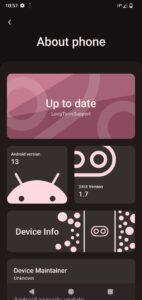
• Added customised animation on settings about dashboard.
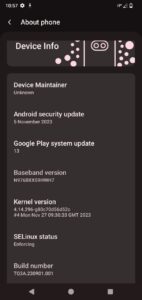
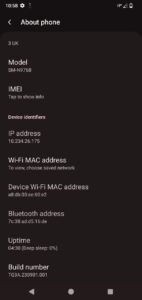
• Redesigned About Device section.
• Added AOD, NFC Tile.
• Added customisations related to monet.
• Added smart pause feature.
• Added statusbar NFC icon.
• Integrated google lens into screenshot UI.
• Added feature to show bluetooth battery level.
• Added our own set of 22 droidx exclusive wallpapers.
• Added per app volume support.
• Added support for auto wifi and bluetooth off during no usage period.
• Added option for hotspot sharing over vpn.
• Added delete button on screenshots.
• Added UDFPS icons and animations.
• Added pocket mode feature.
• Added Pure Black Dark theme.
• Added multi-sim ringtone support.
• Added new charging chip animation.
• ixed issue related to mobile data and wifi tile.
• Added support for disable battery light.
• Added support to require unlocking to use sensitive Qs tiles.
• mplemented bluetooth dialog in QS.
• ixed bug related to Android Auto.
• Added hotspot toggle in QS internet dialog.
• ixed a crash in suggestions option in launcher.
• Added media ripple effect.
• Added allow disabling power menu on secure lockscreen.
• Added toggle data usage view on QS footer.
• Added allow disabling QS on secure lockscreen.
• Added toggle for clock AM/PM style.
• Added Fast Charging Toggle for Fast Charging supported devices
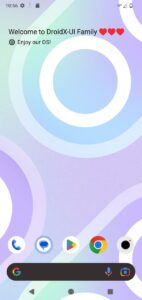
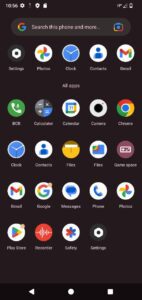
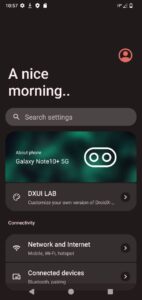
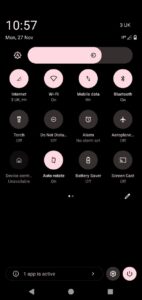
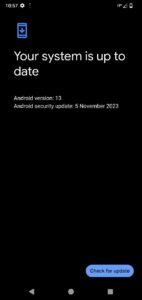
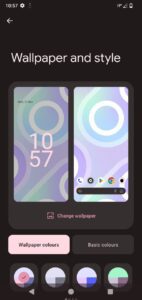
🔽Screenshots🔽
CLEAN FLASH :
• Take Rom In Internal Storage
• Take Recovery (Twrp, Ofox, Shrp, pbrb) in Internal storage.
• Flash Decryption Based Recovery ( Twrp, Ofox, Shrp, Pbrp)
• Open recovery
• Flash rom
• Flash gapps if needed
• Wipe Data , Cache & Dalvik, Metadata
• Now Back ( If You Don’t Want To Replace Your Twrp/Ofox/Shrp Recovery With Miui Recovery Or Aosp Recovery) Select Recovery (Twrp, Ofox, Shrp, pbrp) img Choose Install Ramdisk ( second way Open Advance menu Click on install Ramdisk and select Recovery Img ).
• Format data ‘Yes’
• Reboot to system & enjoy.
| Device Name : | Redmi Note 11 |
| Version : | Android 13 |
| Status : | Official |
🔽Download Link🔽