

Notes:
• Read Changelog and Notes carefully before asking anything.
• Fully RW ROM
• Recovery ROM (Only for Tapas)
• Inbuilt KSU Support.
• Use latest OrangeFox
• ROM will boot directly from splash logo, so no worries. After first boot just flash this CLICK ME (https://sourceforge.net/projects/rn12-tapas/files/bootanimation.zip/download) through KSU manager.Notes:
• Read Changelog and Notes carefully before asking anything.
• Fully RW ROM
• Recovery ROM (Only for Tapas)
• Inbuilt KSU Support.
• Use latest OrangeFox
• ROM will boot directly from splash logo, so no worries. After first boot just flash this CLICK ME (https://sourceforge.net/projects/rn12-tapas/files/bootanimation.zip/download) through KSU manager.
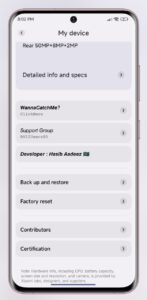
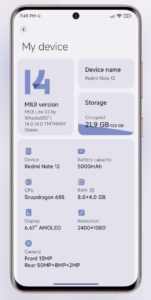
ROM Based on xiaomi.eu 14.0.14
✓ Let’s Start from HyperOS✓
Added HyperOS File manager
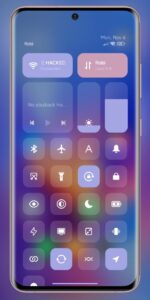
Added HyperOS Control Centre
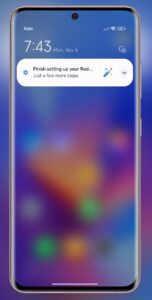
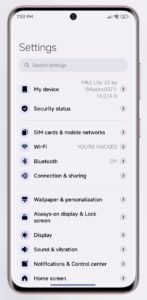
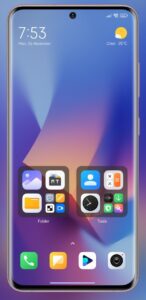
Added HyperOS full Theme as Default theme.
Added HyperOS Dialer and Contact
Added HyperOS Messaging app
Added HyperOS Ringtone and sounds
Added HyperOS Wallpapers
|
Added GPhotos spoof
Tweaked for performance and bb
Improved Apps opening-closing Animation Speed.
Added Card Styles
Added full Monet Support
Added MiLanPro font
Added Custom Charging Animation
Added Kimcy ScreenRecorder (Upto 120fps)
Added Retro Music Player
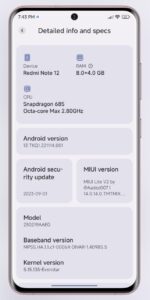
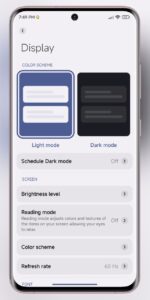
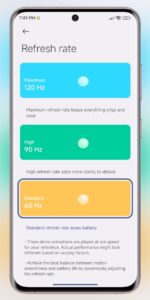
Enable 90hz refresh rate
Inbuilt Evenstar 5.15.135 kernel
Debloated ROM
………. And more underhood changes & improvements.
▪️ SafetyNet is broken so need to take help of safetyNet fix.

Here are the flashing steps:
1. Reboot Recovery (Orangefox)
2. Wipe dalvik, cache, data, metadata
3. Flash Rom Zip
4. Flash Magisk (optional)
5. Format Data
6. Reboot System
That’s all