

Custom Rom For Mi 9T Pro/Redmi K20 Pro AfterLife Project V4.0 Wrath
Changelog :
– Merged November security patches
– Bump Version to 4.0 Codename “Wrath”
– Adapt Wallpaper default to version Wrath
– Build Our Wallpaper (NeverLand)
– Switch To New Bootanimation
– Add AfterLife Recovery
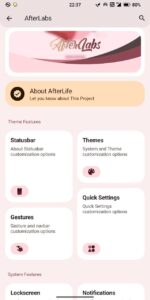
– reDesign AfterLabs Again
– Drop Qs vertical layout
– Drop Qs Tile Label settings
– Drop Qs Columns
– Drop QsUI A11
– Introduce AfterLife Qs Panel (Credit AfterLife team)
– Drop Data Usage Controller (Active by default)
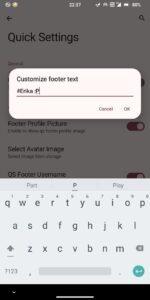
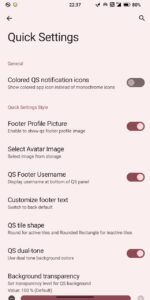
– Add Ability to change username in new qs footer
– Add Ability to change User Pic in new qs footer
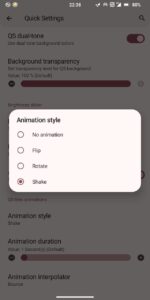
– Add Shake Animation Qs
– reArrange statusbar logo (Only AfterLife Logo)
– Add hotspot toggle to internet dialog
– Implement new screenshot sound effect
– Fix Offline charging issue for some device
– Fix Overide text on banner Settings
– Improve stability and performance
🔽Screenshots🔽


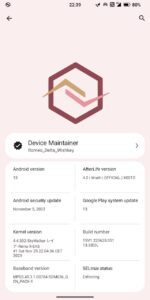
Device changelogs :
• Increased 5GHz Network Signal tolerance
• Updated MIUI camera to Leica-5.0
• Enabled freeform window management
• Enabled Adb during bootup
• Disabled serial console notification
• Dropped QCOM Perf Components
• Updated Adreno blobs from Moto G84
• Silenced OpenGL logspam
• Cleaned up useless logspams
• Disabled phantom process monitoring
• Updated KProfiles to 6.0.0
• Shipped with BoolX Kernel 4.14.334 & latest KernelSU 0.7.1 (11366)
• Optimized system and vendor props
• Nuked safetnet hacks
• Replaced DC dimming and HBM mode with Live display 2.1 Stuff
• Reverted forcing to 32bit caused not supported some apps
• Fixups Refresh Rate on some apps with going up to 90HZ like blackhole etc
• Build Otomusic Player
• Disable Zram writeback and switch to zstd for Zram stuff (syncing to Boolx)
• Add System UI restart for advanced restart
• Updated kernel cmd flags and more sync to Boolx config
• Add refresh rate control

Additional fixups :
• Fixups Screen Off FOD
• Disabling Optimal refresh rate for FOD
Notes :
• Uses @SageOfD6Path base trees
• Required R firmware with your region
• Only Core Gapps Build
• Make a NAND Backup. Be Safe
• Rom is decrypted by default so no need to flash dfe.
• Recommended use Ofox official
| Device Name : | Mi 9T Pro/Redmi K20 Pro |
| Version : | Android 14 |
| Status : | Unofficial |
🔽Download Link🔽