

Custom Rom For Poco F3/Redmi K40 MyUI 6
Moto Port | Changelog | Alioth
- Updated to Android 14 myui 6
- Updated fingerprint hal
- Clean Re-Ported vendor
- Updated bluetooth hal
- Fixed Vibration
- Fixed miscellaneous background spam
- China Built
- Updated to MyUI 5.0
- Updated bluetooth hal
- Fixed GCam not working
- Added GoogleCameraGo(you can uninstall if you want)
- China Built
- Check device change log for base changelog (Motorola X40)
🔽Screenshots🔽
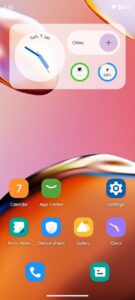

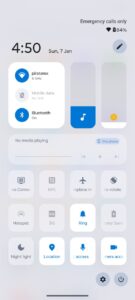
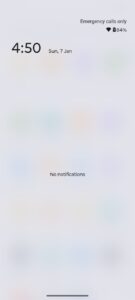
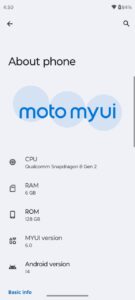
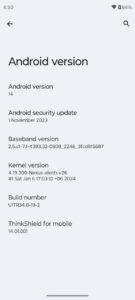
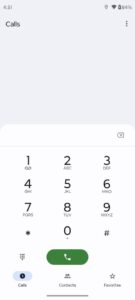


Note :
- Install Fastboot drivers properly if you see errors while flashing.
- “Invalid sparse file format at header” is not an error, just wait you will be fine.
- For root just flash magisk.
- Enable Google Play Services under settings>system (you can check screenshots for clarification)
- Disable smart update while setting up or incase missed than disable from settings> System updates
- NEVER UPDATE A PORT ROM from settings/updater.
- For screenshot on moto, its 3 finger hold (not 3 finger swipe).
- To fix safetynet after root just hide magisk follow #safetynet
- For fod fix use this ,but after setting up 1 fingerprint.
- For other languages link
Flash via Recovery
- Download and install Fastboot Xiaomi.eu A11 rom (skip this if you are already on any of my ports- pixel or oos or moto)(no need to boot, just flash)
- Flash firmware zip in twrp/ofox/recovery (MUST FLASH if provided on pling with rom zip)
- Reboot to Recovery
- Download and flash rom zip via recovery
- Format data is recommended.
- Reboot to bootloader
- Flash vbmeta (get it from inside rom zip or group notes) with command in step 8
- fastboot –disable-verity –disable-verification flash vbmeta images/vbmeta.img
Flash via Fastboot
- Download and install Fastboot Xiaomi.eu A11 rom (skip this if you are already on any of my ports- pixel or oos or moto)(no need to boot, just flash)
- Flash firmware zip in twrp/ofox/recovery (MUST FLASH if provided on pling with rom zip)
- Download and extract rom zip
- Reboot to fastboot & Run the respective script according to windows/linux/mac. (Force wipe is always recommend)
- Sit back and wait till it reboots to animation.
Uninstallation/ To shift to other roms
- Download and Flash Fastboot MIUI
| Device Name : | Poco F3 / Redmi K40 |
| Version : | Android 14 |
| Status : | Unofficial |
🔽Download Link🔽